Make a Bible reading app that keeps everyday reading and study tools close together, while giving the text room to breathe.
← All projects
project 01 / AI-assisted design & development · Web + desktop
Visit live site ↗ReadBible
Bring Bible reading, plans, notes, and study tools together in one calm, easy-to-use place.
 AI-assisted design & development / Web + desktop
01 / The brief
A problem worth solving.
ReadBible brings reading, reading plans, bookmarks, highlights, notes, prayer lists, and study tools into one app. The web version adapts to mobile screens, with Windows and Mac versions also listed in the app.
The visual thread
A quiet place to read.
A presentation palette drawn from the mood of the work. A consistent rhythm connects imagery, typography, and the path through the story.
02 / The experience
A little room for the Word.
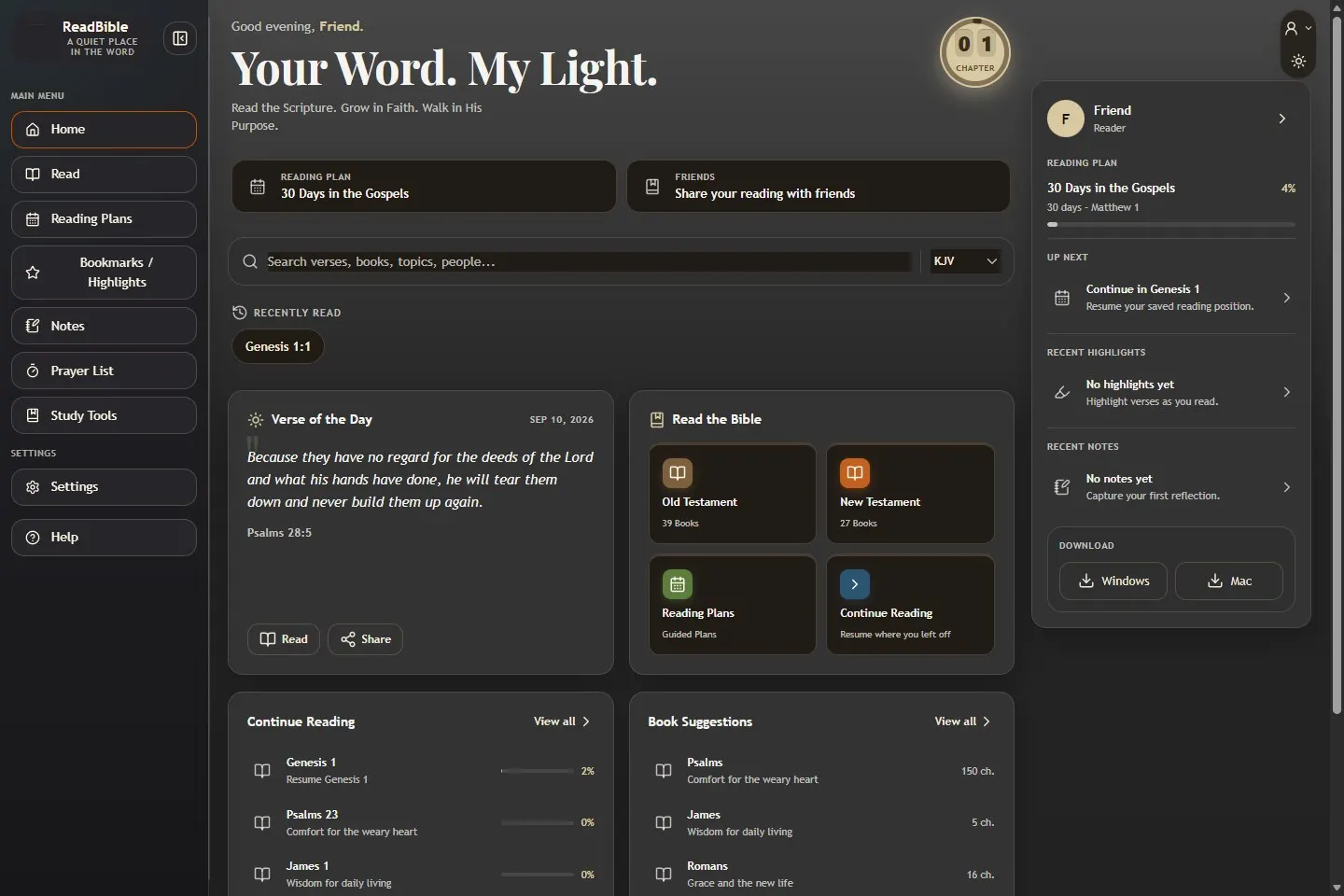
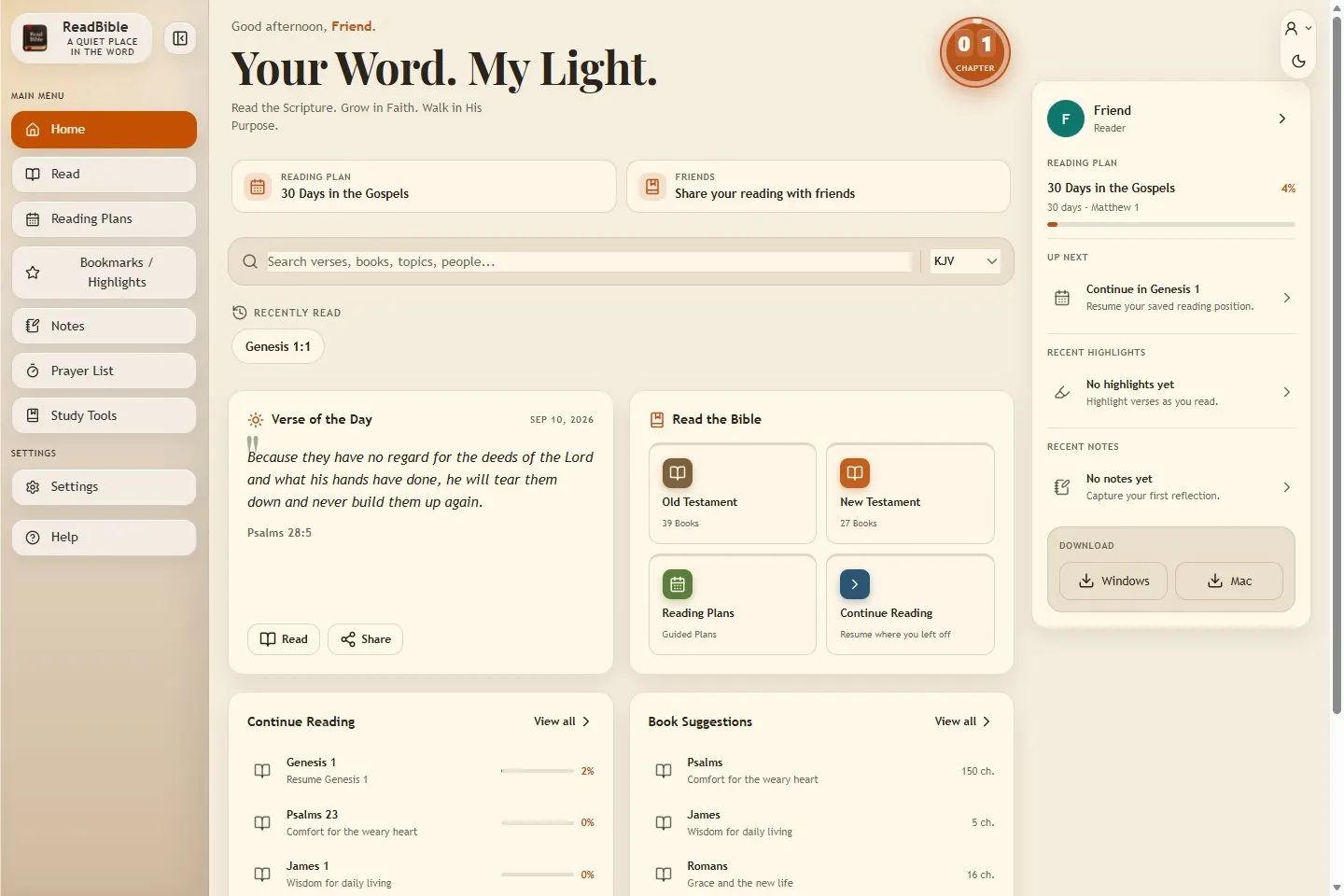
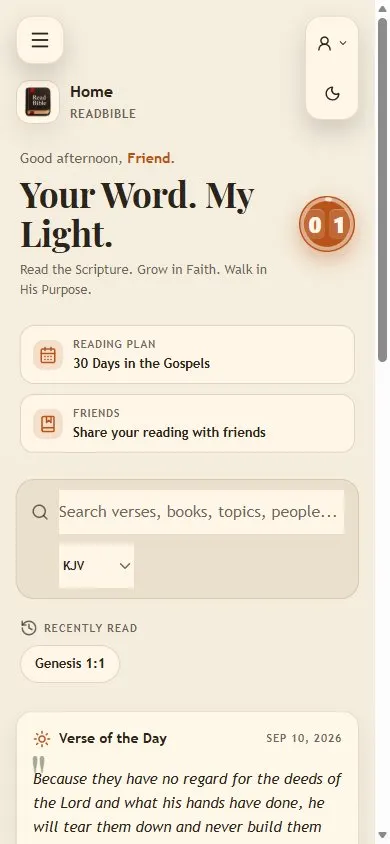
The live web app, shown on a wide screen and a phone. Reading, plans, and study tools stay part of one experience.
One project, two formats
On the web. On your desktop.
ReadBible is a web app with desktop versions for Windows and Mac listed in the app. These screenshots show the live web version at desktop and mobile sizes.
Try ReadBible & explore desktop options ↗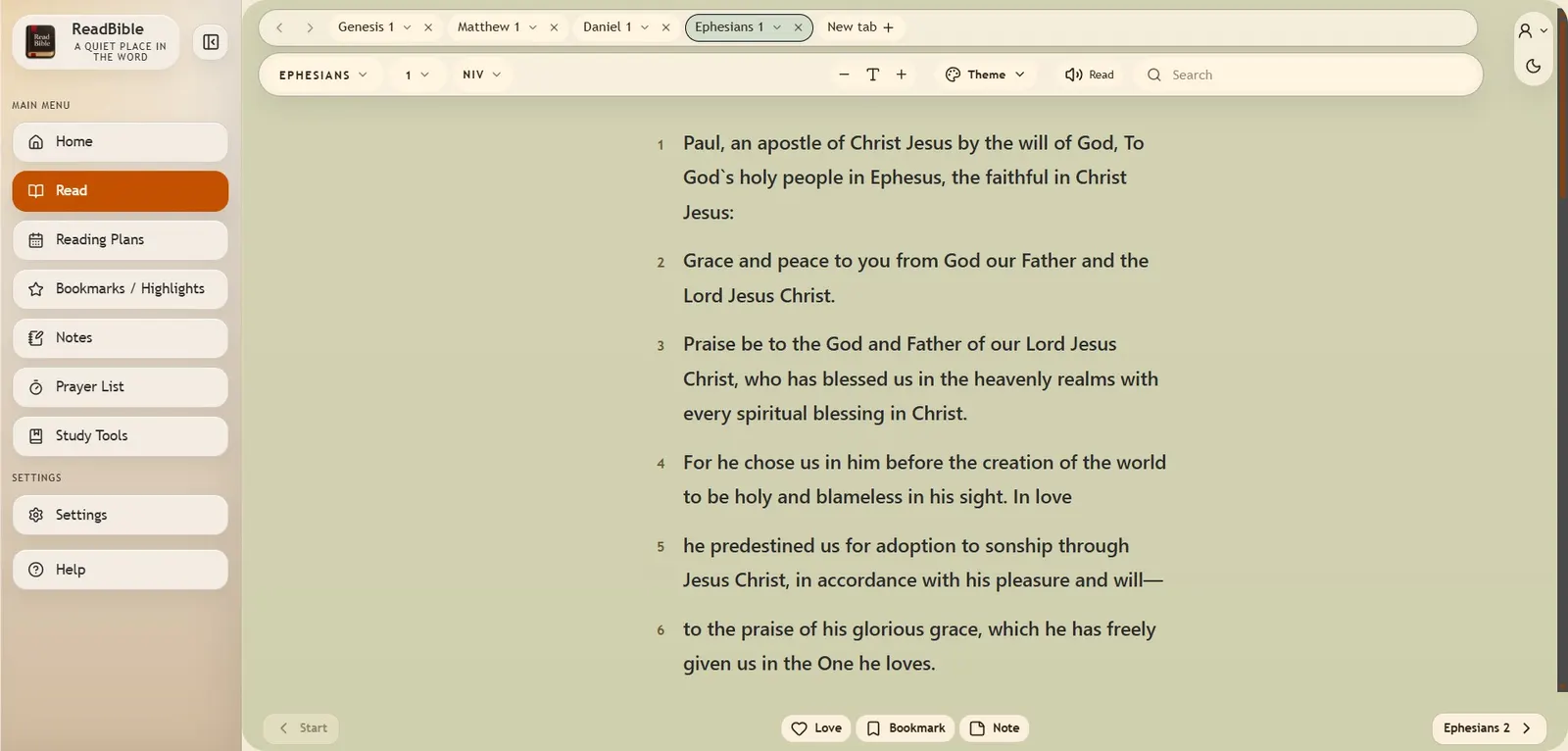
A page made for reading
The text comes first.
The reader keeps the book, chapter, translation, and text controls close by. People can choose how they read without leaving the page.
A reason to come back
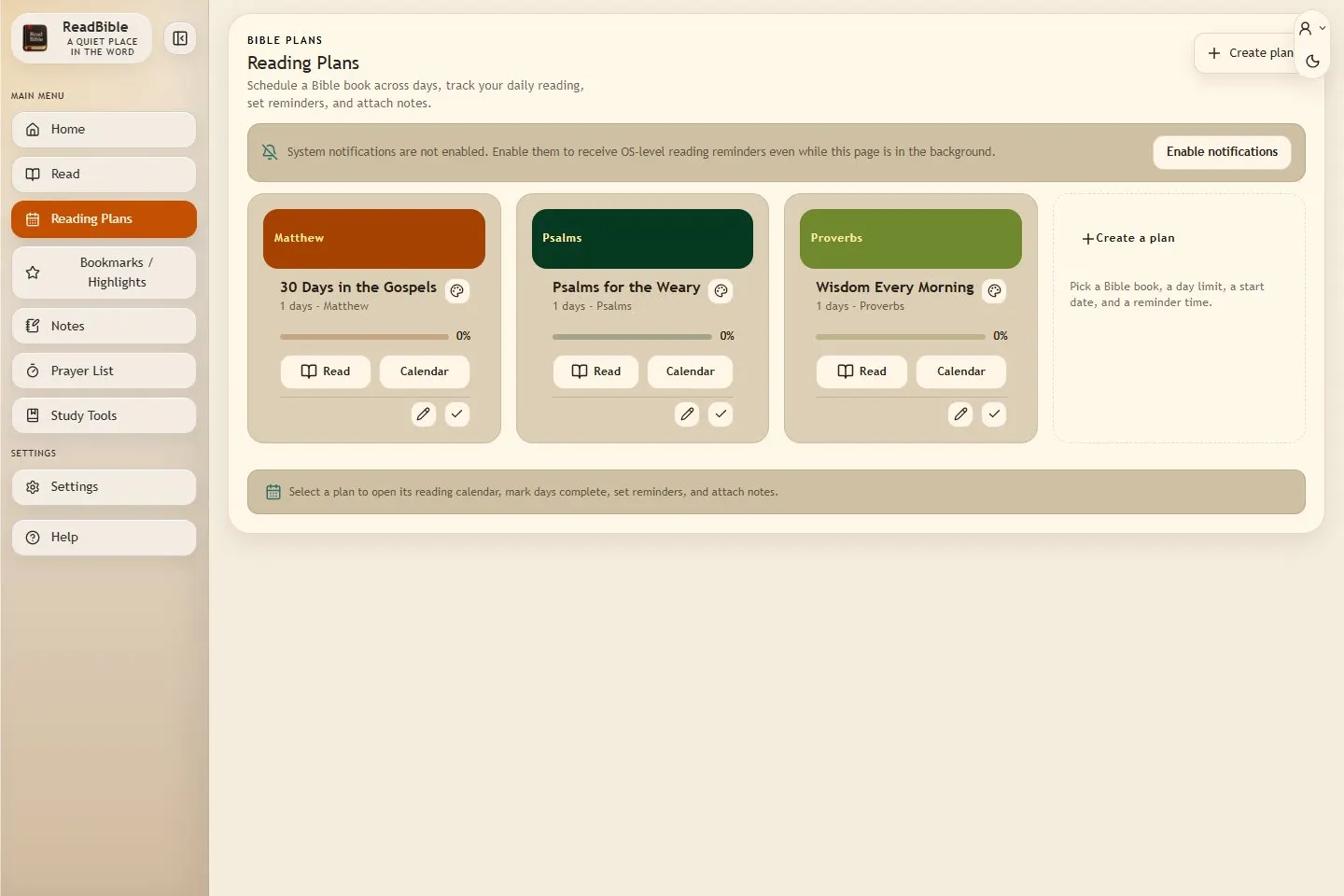
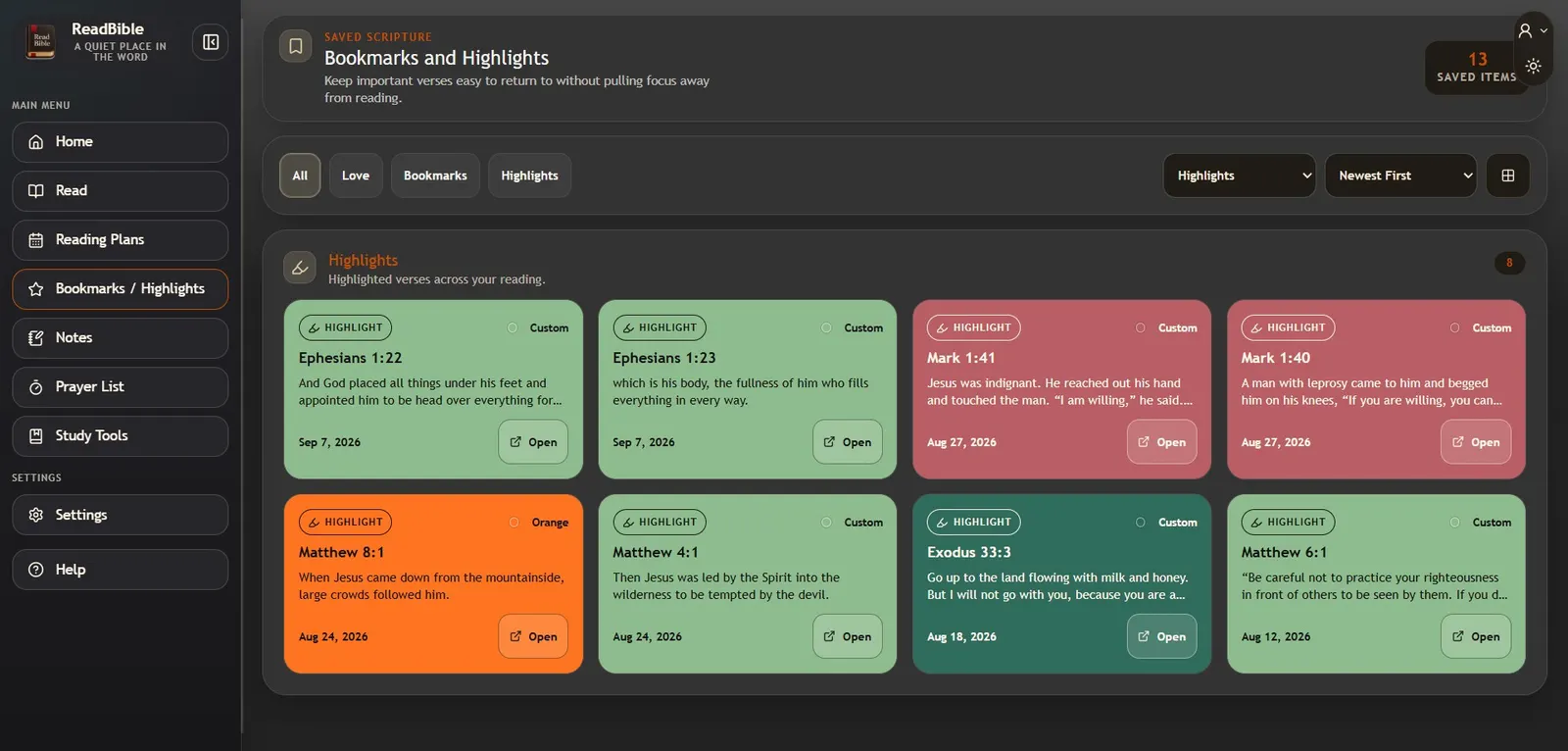
Build a reading habit.
Reading plans give each day a clear next step. Saved highlights keep meaningful passages close, ready to revisit.
03 / The decisions
The thinking behind the detail.
The design starts with the reading habit: open the app, find a useful starting point, and keep going. A clear menu and a calm dashboard help people find their next step.
A useful starting point
A daily verse, recent reading, and reading-plan cards give people a few clear ways to begin.
Tools grouped by task
Reading, plans, bookmarks, notes, and prayer lists have their own places in the main menu.
Room to read on any screen
The web layout adapts from a wide desktop view to a mobile screen, keeping the main content readable.
AI-assisted, carefully shaped
AI supports the design and development work. The layout, words, and final details still need a clear human direction.
The challenges along the way
- Keeping several study tools easy to find without crowding the reading experience.
- Adapting the dashboard and navigation to a narrow mobile screen.
- Keeping the web and desktop versions part of the same product.
04 / The outcome
What the work delivered.
A working reading app that brings daily reading and study tools together. Visitors can try the web version and find the desktop options from inside the app.
WebResponsive browser app
WindowsDesktop option listed in the app
MacDesktop option listed in the app
Web and desktop options shown in the app.
Live preview
Explore the real site.
Choose a device to load the live site at that screen size. Scroll, explore, or open it in a new tab.
Start a project
Let’s make your idea real.
A brand, a website, an app, or a set of AI visuals—tell me what you have in mind.